




Cheat or Repeat rules: ten questions under surveillance
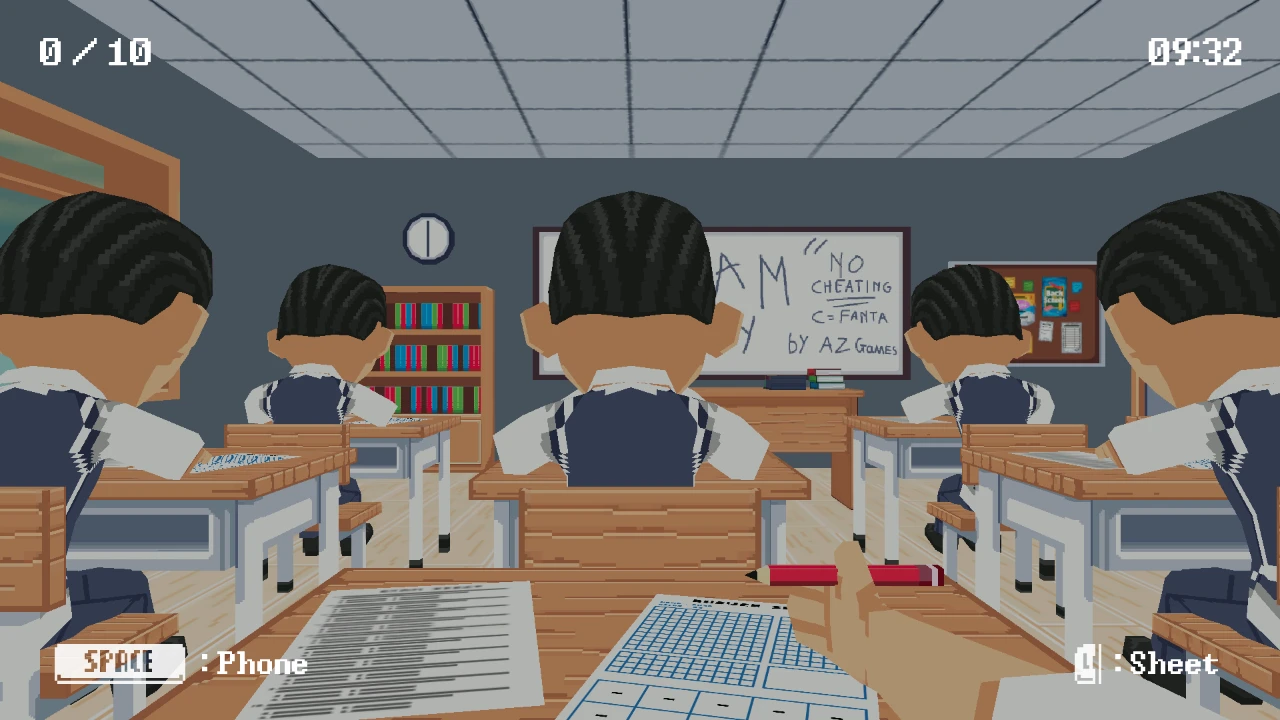
Cheat or Repeat is not a conventional trivia page. It combines a ten-question multiple-choice exam with first-person stealth and light horror. We sit at a school desk, read the question and options, and can attempt an answer from knowledge or bring up an in-game phone to search for help. The risk is physical inside the scene: the teacher watches the room, so using the phone at the wrong moment can expose the cheating. Progress is framed across four school days, with pressure rising as we try to pass rather than repeat. Both halves matter; describing it only as a quiz would ignore the movement, timing, and detection system that defines the game.
| State | Immediate risk | Best response |
|---|---|---|
| Teacher facing away or distant | Low but temporary | Open the phone only for a question already chosen and close it before the patrol turns |
| Teacher turning or approaching | Rising | Cancel the search, return to the exam, and wait for a new cycle |
| Warning or suspicion cue | High | Stop all suspicious input; a correct answer is not worth detection |
| Question known | No stealth exposure needed | Answer directly and save the safe window for a harder prompt |
| Caught state | Current attempt or day is compromised | Read the reset condition, learn the patrol timing, and avoid repeating the same exposure |
Answer known questions before taking stealth risks
Click the page's Play Now button, press the central AZGames launcher once, and wait for the inner Unity game to finish loading. Read the control prompt before the first exam because keyboard and mouse handle different tasks. Use the pointer to inspect the paper and select answers, and use the displayed keys to handle or hide the phone and interact with the scene. We answer obvious questions without cheating. When a question is uncertain, we first observe the teacher's position and attention, then open the phone, type the shortest useful search, read the result, and put the device away before choosing. The exam contains ten questions, so one reckless search can jeopardize more progress than one honest mistake.
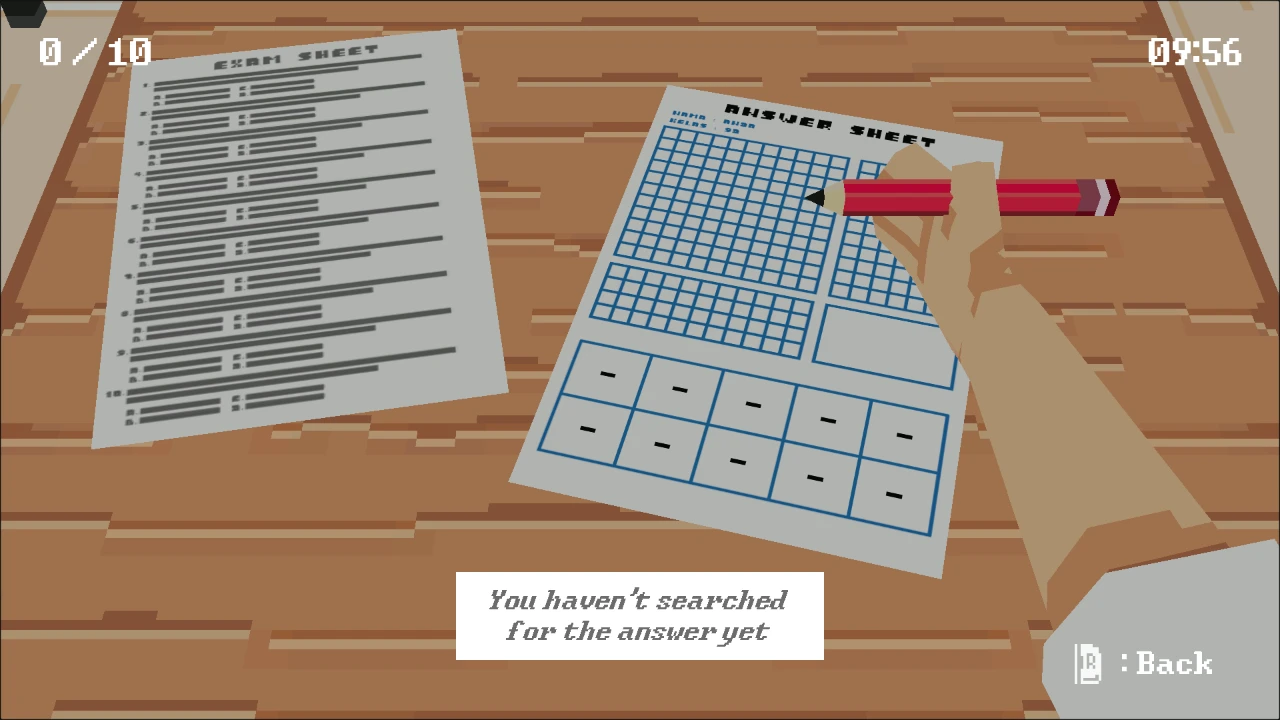
The quiz and stealth layers should not be played simultaneously in our head. We first read the question, decide whether the answer is known, and choose the likely response. Only then do we watch the room for a full patrol cycle. Opening the phone before knowing what to search wastes the safest seconds on reading and navigation. A prepared search is short; an improvised search keeps the suspicious animation visible while the teacher is already returning.
The phone search sequence and its exposure time
The quiz supplies a prompt and several choices, but the phone turns unknown knowledge into a stealth decision. Searching costs time and divides attention between the screen, the paper, and the teacher. Detection is based on visible behavior and timing rather than the factual quality of the answer. The four-day structure gives failure narrative weight: passing moves us forward, while poor performance or being caught threatens repetition and escalating consequences. The horror tone comes from surveillance and punishment, not from random trivia. We treat each question as a three-part state—confidence in the answer, current risk of phone use, and remaining exam margin—before deciding whether cheating is rational.
A safe window needs an exit, not just an opening
The teacher looking away is only the start of a window. We also need enough time to lower the phone, restore the exam view, and stop suspicious movement before the next check. In testing, greedy searches failed near the end of the patrol more often than searches started one beat later. We count the turn-away, begin only when the route is predictable, and close at the first change rather than waiting for a full warning.
Read the teacher’s patrol and warning states
Our safest approach is triage. On the first read, classify the question as known, narrowable, or unknown. Known answers are banked immediately. Narrowable questions get an elimination pass using wording and category clues, which may avoid the phone entirely. Unknown questions are candidates for search, but only during a clear observation window. We prepare a compact query in mind before raising the device, type only decisive keywords, and stop once one option is confirmed. Long browsing is dangerous and unnecessary. Between questions we reset the view, check where the teacher is, and ensure the phone is fully hidden. Later days reward the same calm loop even when audiovisual pressure encourages rushed input.
Risk management matters more than raw trivia knowledge. We assign an informal confidence percentage to each answer and compare it with the current detection risk. A seventy-percent answer during a dangerous observation window is often better than a phone search; a completely unknown answer during a safe window is a strong search candidate. Search phrases should target the distinction between choices, not reproduce the full question. Audio and animation cues can reveal changes in teacher attention while our eyes are on the phone, so we never mute awareness entirely. On later days, pressure rises, but the decision framework stays the same: information gained, time spent, and exposure created.
Cheat or Repeat strategy across four days
- Clear the known questions
Use direct answers first so the phone is reserved for uncertainty instead of becoming the default control method.
- Observe one complete patrol
Learn when the teacher turns, approaches, pauses, and faces the desks before exposing the device.
- Prepare the lookup
Keep the target question in mind, open the phone during a fresh safe window, and avoid browsing unrelated options.
- Exit before suspicion
Close the phone while the teacher is still safely away; do not wait for the warning state to decide.
- Carry the lesson into the next day
Question difficulty and pressure rise across the four-day progression, so preserve the safest routine rather than increasing greed.
The safest practice separates controls from scoring. In one run, deliberately use the phone on an early question and rehearse raising, typing, reading, hiding, and returning to the paper without trying to maximize the grade. In another, avoid the phone and focus on answer selection and camera reset. Once both sequences are comfortable, combine them. After being caught, identify the exact phase—raised too early, kept open too long, missed a warning, or clicked while divided—rather than blaming the whole mechanic. A short written post-run note for each of the four days turns the horror pressure into repeatable timing knowledge and makes the next attempt calmer.
What happens when the teacher catches us
Opening the phone automatically whenever we hesitate is the central mistake. It turns a knowledge gap into a detection risk even when two options can be eliminated. Another failure is continuing to read search results while the teacher's state changes. We also avoid clicking an answer before confirming the phone is put away; divided controls can cause the wrong option or expose the device. The game can feel like a speed test, but frantic mouse movement makes situational awareness worse. If caught repeatedly, rehearse one search cycle without caring about the score: observe, raise, query, confirm, hide, answer. Separating those actions reveals exactly where the timing breaks down.
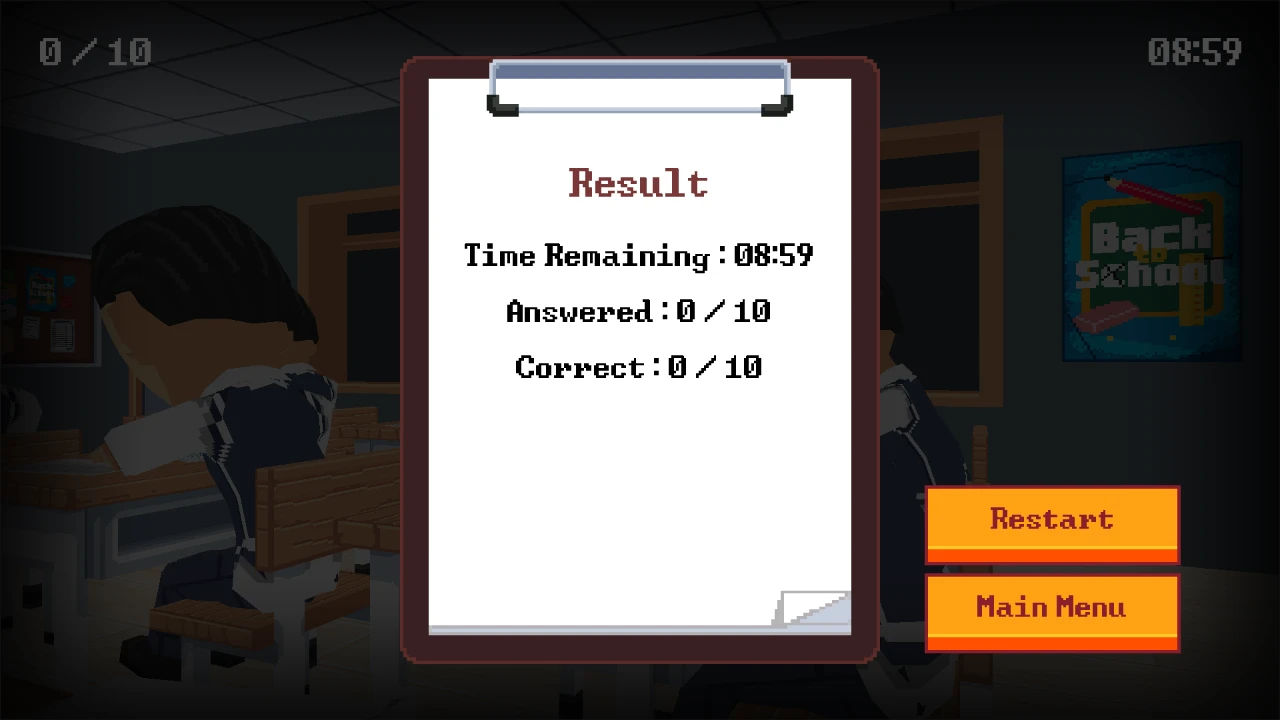
Spoiler replay: one complete exam route
For each school day, we use the same exam loop. First read all visible wording and identify the subject. Second eliminate answers using knowledge already on the paper. Third decide whether uncertainty is large enough to justify the phone. Before raising it, locate the teacher, note the safest viewing direction, and reduce the search to a few keywords. Confirm one option, hide the phone completely, then return attention to the sheet and select the answer. Between questions, reset the camera and controls instead of carrying panic into the next item. With ten questions and a visible timer, this loop gives every search a purpose and prevents the phone from becoming the default response.
Our successful exam route began by answering the first familiar questions without touching the phone. On the first unknown, we watched an entire patrol, waited through one tempting but short opening, and used the next full turn-away to search and return. A later question triggered a faster approach, so we closed without an answer and tried again on the next cycle. That deliberate retreat saved the day. Across the four-day loop, the winning pattern stayed boring: prepare, observe, search, hide, then answer. Most failures came from squeezing one extra second out of a window that was already over.
A desktop or laptop with mouse and physical keyboard is the intended setup. The Unity canvas needs time to load behind the approved AZGames outer embed, and a blank transition does not always mean failure. Keep the tab active, allow audio if the game uses warning cues, and avoid browser shortcuts while the canvas has focus. Mobile controls may be crowded because the experience combines first-person looking, answer selection, and text entry; we recommend landscape if attempting it on touch. Webpage fullscreen gives the scene more room, while Escape should return control. If the launcher stalls, use the page's single retry flow rather than opening duplicate frames.
Cheat or Repeat FAQ
Is Cheat or Repeat only a quiz game?
No. It combines a ten-question multiple-choice exam with first-person observation, phone use, stealth, and horror pressure.
How does the phone help?
It lets the character search for information, but visible use can alert the teacher and create a larger risk than one uncertain answer.
How long is the progression?
This version frames the challenge across four school days, with exam performance determining progress.
Should we cheat on every hard question?
No. Eliminate choices first and use the phone only when the knowledge benefit outweighs the teacher's current awareness.
Which device is best?
A computer with a mouse and physical keyboard best supports looking, interaction, answer choice, and typed searches.